How to Create a Crypto Wallet: A Beginner’s Guide
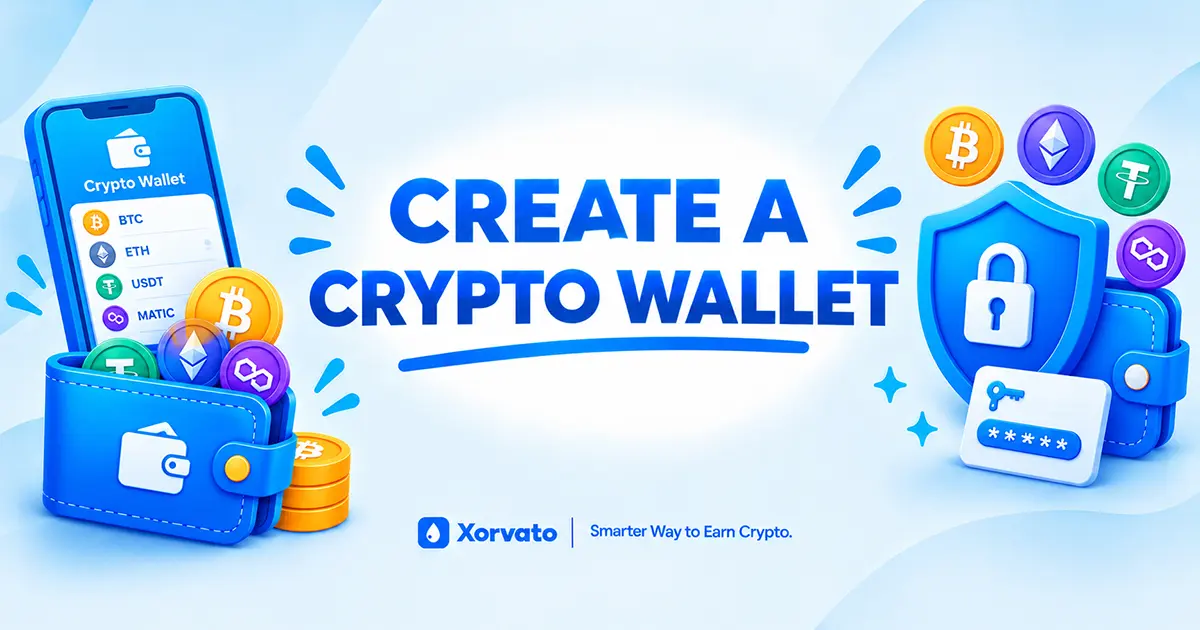
A crypto wallet is one of the first tools many beginners need when they start exploring cryptocurrency. It can provide a way to receive, send, and manage supported digital assets while giving you access to the blockchain networks connected to the wallet.
Creating a wallet does not have to be complicated. The basic process usually involves choosing a wallet, installing or accessing it through an official source, creating a new wallet, backing up the recovery information, and learning how to find your receiving address.
If you are completely new to cryptocurrency, CryptoSkillLab's guide to creating a crypto wallet provides another beginner-friendly introduction to the basics.
What Is a Crypto Wallet?
A crypto wallet is a software application, browser extension, or hardware device that helps you manage access to cryptocurrency. Your crypto is not literally stored inside the wallet like coins in a physical wallet. Instead, the wallet manages the cryptographic keys that allow you to interact with assets recorded on a blockchain.
Depending on the wallet, you may be able to receive cryptocurrency, send transactions, connect to blockchain applications, review balances, and manage multiple assets from one interface.
The exact features depend on the wallet and blockchain network it supports. Ethereum.org, for example, describes browser, desktop, and other wallet options and emphasizes that users are responsible for keeping their keys and recovery information secure.
Why Do You Need a Crypto Wallet?
A wallet can be useful when you want to receive cryptocurrency directly. For example, a crypto faucet may ask you to provide a compatible wallet address before it can send a reward.
A wallet can also be used to send cryptocurrency to another address, interact with supported blockchain applications, or move funds between compatible services.
Before creating a wallet, it is important to understand that different wallets support different cryptocurrencies and networks. A wallet that supports one asset or network may not support another.
Types of Crypto Wallets
There are several types of crypto wallets. The main differences involve how you access the wallet, where the private keys are managed, and whether the wallet is connected to the internet.
Mobile Wallets
Mobile wallets are applications designed for smartphones and tablets. They can be convenient for beginners because you can manage supported cryptocurrency directly from a mobile device.
Before installing a mobile wallet, always make sure you are downloading the official application from a trusted source.
Browser and Web Wallets
Browser wallets can allow you to interact with blockchain applications through a web browser. Some are browser extensions, while others operate through web-based interfaces.
If you use a web wallet, verify the website address carefully and consider bookmarking the official site to reduce the chance of accidentally visiting a phishing website. Ethereum.org also recommends taking precautions such as bookmarking wallet sites and carefully checking transactions.
Desktop Wallets
Desktop wallets are applications installed on a computer. They can provide additional wallet management features, depending on the software and cryptocurrency supported.
Keeping your computer updated and protected is important when using a desktop wallet because malware or compromised software can create security risks.
Hardware Wallets
Hardware wallets are physical devices designed to keep private keys isolated from ordinary online activity. They are commonly considered for storing larger amounts of cryptocurrency or for users who want an additional layer of protection for their keys.
Ethereum.org notes that hardware wallets keep private keys offline, while Bitcoin.org describes offline wallets as a form of cold storage.
Custodial Wallets
With a custodial service, a third party manages the private keys or custody arrangement on your behalf. Access may work more like a traditional online account, depending on the service.
Custodial services can be convenient, but you are relying on that provider to protect the assets and maintain access to the account.
Self-Custody Wallets
With a self-custody wallet, you are responsible for the wallet's private keys and recovery information. This provides direct control, but it also means that losing important recovery information can result in losing access to the wallet.
The SEC's Investor Bulletin explains that self-custody means the user has responsibility for managing private keys and seed phrases, including keeping them secure.
Step 1: Choose a Crypto Wallet
The first step is choosing a wallet that matches what you want to do with cryptocurrency.
If your main goal is receiving small cryptocurrency rewards from faucets, you may want a wallet that supports the specific coins and networks used by the platforms you plan to explore.
Things to Check Before Choosing a Wallet
- Which cryptocurrencies are supported.
- Which blockchain networks are supported.
- Whether the wallet is custodial or self-custodial.
- Whether it is available on your device.
- How wallet recovery works.
- Whether the wallet provides security features such as two-factor authentication or device protection.
- Whether the wallet is compatible with the services you plan to use.
Do not choose a wallet simply because a website or social media account recommends it. Research the wallet and use its official website or official application source.
Step 2: Download or Open the Official Wallet
Once you have chosen a wallet, use its official website or the official application store listing to access it.
This step is important because fake wallet websites and applications can imitate legitimate services. A fake wallet may attempt to steal your password, private key, or recovery phrase.
Before Installing a Wallet
- Find the wallet's official website.
- Check the website address carefully.
- Follow the official download or installation instructions.
- Avoid downloading wallet software from unknown websites.
- Never enter your recovery phrase into a website simply because it claims to help you create a wallet.
Step 3: Create a New Wallet
After opening the wallet application or extension, look for an option such as Create New Wallet, Create Wallet, or another similar option.
The exact wording and setup process depend on the wallet. Some wallets may use a recovery phrase, while newer wallet designs may offer alternative recovery methods.
Typical Wallet Creation Process
- Open the official wallet application or extension.
- Select the option to create a new wallet.
- Follow the wallet's setup instructions.
- Create a strong password if the wallet requires one.
- Review the recovery instructions carefully.
- Back up your recovery information securely.
- Complete any verification step required by the wallet.
- Open your newly created wallet dashboard.
Step 4: Secure Your Recovery Phrase
One of the most important parts of creating a self-custody wallet is protecting the recovery phrase.
A recovery phrase, also called a seed phrase or Secret Recovery Phrase, is a sequence of words that can be used to restore a compatible wallet. Some wallets use 12 words, while others may use a different number.
The recovery phrase can provide access to the wallet and its assets. Anyone who obtains it may be able to control the associated funds. MetaMask and other wallet providers specifically warn users never to share their recovery phrase or private keys.
How to Back Up Your Recovery Phrase
- Read the recovery phrase directly from the official wallet application.
- Write the words down carefully and in the correct order.
- Check the spelling of every word.
- Store the backup somewhere private and secure.
- Keep the recovery phrase away from people who should not have access to your wallet.
- Follow the wallet's instructions for confirming the backup.
Important: Never share your recovery phrase or private key with another person, website, customer-support agent, or anyone claiming they need it to unlock your wallet. Anyone with access to your recovery information may be able to access your funds.
What You Should Never Do With Your Recovery Phrase
- Do not post it on social media.
- Do not send it through email or chat.
- Do not give it to customer support.
- Do not enter it into random websites.
- Do not share a screenshot containing it.
- Do not store it somewhere that can easily be accessed by another person.
Ethereum.org specifically warns users not to share recovery phrases or private keys and advises against taking screenshots of sensitive recovery information because cloud synchronization can create additional exposure.
Step 5: Create or Find Your Wallet Address
After creating your wallet, you can usually find a receiving address for supported cryptocurrencies.
A wallet address is a string of characters that identifies a destination for a cryptocurrency transaction. You can provide the appropriate address to a platform that wants to send cryptocurrency to you.
How to Find Your Receiving Address
- Open your crypto wallet.
- Select the cryptocurrency you want to receive.
- Choose the Receive or Deposit option.
- Review the displayed wallet address.
- Copy the address.
- Check the cryptocurrency and network before providing the address.
Why the Cryptocurrency Matters
Different cryptocurrencies use different blockchain networks and address systems. You should never assume that one wallet address can safely receive every cryptocurrency.
For example, if a faucet asks for a Litecoin address, you should provide a compatible Litecoin receiving address rather than an address belonging to another cryptocurrency.
Why the Network Matters
Some assets can exist on more than one blockchain network. When sending or receiving cryptocurrency, the network selected by the sender and receiver must be compatible.
Always check the wallet's deposit instructions before submitting an address. Using an unsupported network can cause a transaction to fail or funds to become difficult or impossible to recover.
Step 6: Receive Crypto Into Your Wallet
Once you have your receiving address, you can provide it to a compatible platform that supports cryptocurrency payments.
For example, a cryptocurrency faucet may ask you to enter your wallet address before submitting a claim. If the faucet supports direct wallet payments, the reward can be sent to that address according to the faucet's payment rules.
How to Receive Crypto From a Faucet
- Open the faucet you want to use.
- Check which cryptocurrency it supports.
- Check which blockchain network it uses.
- Open your wallet's Receive section.
- Select the matching cryptocurrency and network.
- Copy your receiving address.
- Paste the address into the faucet's required wallet field.
- Double-check the address before submitting the claim.
- Complete the faucet's claim requirements.
- Wait for the faucet to process the payment.
- Check your wallet for the incoming transaction.
You can explore different faucet categories through Xorvato's crypto faucet section.
Receiving Crypto Through FaucetPay
Some faucet websites use payment services such as FaucetPay instead of sending rewards directly to an external wallet.
In that situation, your faucet reward may first appear in your FaucetPay balance. You can then withdraw supported cryptocurrency from FaucetPay to a compatible external wallet.
Basic FaucetPay-to-Wallet Process
- Create and verify your FaucetPay account if required.
- Complete a claim on a compatible faucet.
- Wait for the reward to reach your FaucetPay balance.
- Open your external wallet.
- Select the cryptocurrency you want to receive.
- Copy the compatible receiving address.
- Open the withdrawal section in FaucetPay.
- Enter or select the correct receiving address.
- Review the cryptocurrency, network, amount, fees, and minimum withdrawal requirements.
- Confirm the withdrawal.
Always check the current payment and withdrawal instructions on the services you are using because requirements can change.
How to Send Crypto From Your Wallet
Once you understand how to receive cryptocurrency, you may also want to learn how sending works.
The process generally involves selecting the cryptocurrency, entering the recipient's address, entering the amount, reviewing the network and fee, and confirming the transaction.
Basic Steps for Sending Crypto
- Open your wallet.
- Select the cryptocurrency you want to send.
- Choose Send.
- Enter the recipient's compatible wallet address.
- Select the required network if the wallet provides multiple options.
- Enter the amount.
- Review the transaction fee.
- Check the destination address carefully.
- Confirm the transaction.
Blockchain transactions generally cannot simply be reversed after they have been confirmed. For that reason, checking the destination address and network before confirming is extremely important.
Crypto Wallet Address vs Recovery Phrase
Beginners sometimes confuse a wallet address with a recovery phrase. They serve completely different purposes.
Wallet Address
A wallet address is normally used to receive cryptocurrency. It can be shared when someone needs to send supported cryptocurrency to you.
Recovery Phrase
A recovery phrase is sensitive wallet recovery information. It should remain private and should never be provided to someone who wants to send you cryptocurrency.
A simple rule to remember is: your receiving address can be shared when appropriate, but your recovery phrase should remain secret.
Crypto Wallet Security Tips for Beginners
Creating a wallet is only the beginning. Keeping your wallet and recovery information secure is an ongoing responsibility.
Use a Strong Password
If your wallet uses a password, create a strong and unique password that you do not reuse on other websites.
Protect Your Recovery Information
Keep your recovery phrase private and secure. Do not upload it to websites, send it through messages, or provide it to someone claiming to be technical support.
Verify Wallet Websites
Phishing websites can be designed to look like real wallet services. Always check the domain before downloading wallet software or entering sensitive information.
Keep Your Device Secure
Keep your operating system, browser, and wallet software updated. Avoid installing unknown software that could compromise your device.
Double-Check Transactions
Before sending cryptocurrency, review the receiving address, asset, network, amount, and transaction fee.
Bitcoin.org recommends using strong passwords, keeping backups secure, and considering offline storage for cryptocurrency intended as savings.
Common Crypto Wallet Mistakes Beginners Make
A few simple mistakes can create unnecessary problems when setting up or using a cryptocurrency wallet.
- Downloading a wallet from an unofficial website.
- Sharing a recovery phrase with another person.
- Taking screenshots of recovery information.
- Sending crypto to the wrong network.
- Using the wrong cryptocurrency address.
- Ignoring transaction fees.
- Failing to create a secure backup.
- Clicking unknown wallet links received through social media or messages.
- Assuming a wallet provider can recover a lost self-custody wallet.
For more beginner-focused information, see Xorvelis's guide to common crypto wallet mistakes.
How to Use a Crypto Wallet With Faucet Rewards
If you are creating a wallet specifically to explore cryptocurrency faucets, there are a few extra details to understand.
Before Claiming a Faucet Reward
- Check which cryptocurrency the faucet pays.
- Check whether direct wallet payments are supported.
- Check whether FaucetPay or another payment service is required.
- Find the correct receiving address in your wallet.
- Confirm the supported blockchain network.
- Check minimum payout requirements.
- Review any transaction fees.
A faucet may display a reward amount, but that does not necessarily mean the payment will arrive immediately. Some platforms process payments periodically or require a minimum balance before withdrawal.
You can also learn more about how faucet reward systems operate through Xorvelis's guide to faucet reward systems.
How to Check a Crypto Wallet Transaction
After receiving or sending cryptocurrency, you may want to check the transaction status on the relevant blockchain.
Many blockchain networks provide public explorers where you can search using a transaction ID, wallet address, or other supported information.
Basic Transaction Checking Process
- Open the blockchain explorer for the relevant network.
- Copy the transaction ID or wallet address.
- Paste it into the explorer's search field.
- Review the transaction status.
- Check the amount, destination, confirmations, and network where applicable.
The exact information shown depends on the blockchain explorer and network.
How to Choose a Wallet for Beginners
There is no single wallet that works for every cryptocurrency user. The right choice depends on what assets you use, how frequently you transact, and how you want to manage your wallet keys.
Ask These Questions Before Choosing
- Does the wallet support my cryptocurrency?
- Does it support the required network?
- Can it receive the rewards I want to collect?
- How does wallet recovery work?
- Is the wallet custodial or self-custodial?
- Is the software available from an official source?
- Does it provide the security features I need?
Beginners should take time to understand how a wallet works before transferring significant amounts of cryptocurrency.
What Happens If You Lose Your Wallet?
Losing access to the device where a wallet is installed does not necessarily mean that the wallet itself is permanently lost. For many self-custody wallets, a properly backed-up recovery phrase can be used to restore access on a compatible wallet application.
However, if you lose the recovery information required to restore a self-custody wallet, there may be no central company that can simply reset the wallet for you.
Bitcoin.org explains that users of self-custody wallets are responsible for backups and that permanently lost recovery information can result in permanent loss of access.
How to Create a Crypto Wallet: Simple Checklist
If you want a simple checklist to follow, use these steps:
- Choose a reputable wallet.
- Confirm that it supports your cryptocurrency.
- Confirm that it supports the required blockchain network.
- Access the wallet through its official source.
- Create a new wallet.
- Set a strong password if required.
- Write down your recovery phrase if the wallet provides one.
- Store the recovery information securely.
- Open the Receive section.
- Select the cryptocurrency you want to receive.
- Copy your wallet address.
- Double-check the address and network before receiving crypto.
Use Your Wallet to Explore Crypto
Once your wallet is created and secured, you can begin exploring different cryptocurrency activities. Depending on the assets and networks supported by your wallet, this can include receiving crypto, sending transactions, exploring blockchain applications, or collecting rewards from compatible platforms.
Xorvato provides resources covering cryptocurrency faucets, games, mining simulators, PTC platforms, and beginner-friendly guides.
You can browse Xorvato's guides for more information about cryptocurrency wallets, faucets, rewards, and other crypto-related topics.
You can also explore practical crypto learning resources through Xorvelis, which focuses on beginner-friendly blockchain education and hands-on learning.
For additional wallet education, CryptoSkillLab's guide to crypto wallets can help you understand different wallet options and what beginners should consider.
Remember: Your wallet address is used to receive cryptocurrency, while your recovery phrase and private keys protect access to your wallet. Treat sensitive recovery information as private and verify every address and network before sending or receiving crypto.
Final Thoughts
Creating a crypto wallet is an important first step for beginners who want to explore cryptocurrency. The process usually involves choosing a compatible wallet, creating an account or wallet, securing the recovery information, and learning how to use a receiving address.
The most important part is not simply creating the wallet but learning how to use it safely. Protect your recovery phrase, use official wallet sources, verify cryptocurrency networks, and carefully review transactions before confirming them.
Once you understand these basics, your wallet can become a useful starting point for exploring cryptocurrency faucets, receiving rewards, managing supported digital assets, and learning more about how blockchain networks work.
Disclaimer
Content on Xorvato is provided strictly "as is" for educational purposes only—not financial advice. Rewards from featured platforms (faucets, PTC ads, games, mining simulators) are managed by independent third parties and are not guaranteed. Xorvato accepts no liability for unpaid payouts, third-party platform failures, or lost assets. Always research before participating.